
How IPTV Works — Everything You Need to Know (2026 Guide)
Millions of people stream TV via IPTV every day — but how does it actually work? Whether you’re curious about the technology or just want to understand what you’re subscribing to, this guide explains IPTV from the ground up. No technical background required.
What Is IPTV?
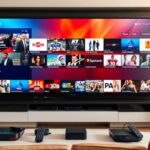
IPTV stands for Internet Protocol Television. Instead of receiving TV signals through a satellite dish or coaxial cable, IPTV delivers your television content over the internet — the same way a website or video call reaches your device.
Think of it like this: traditional TV is a river flowing in one direction. IPTV is like the internet — content flows to you on demand, from anywhere, to any device.
A premium service like MyIPTVHD gives you:
- 16,000+ live TV channels from 50+ countries
- 40,000+ movies and TV series on demand
- HD, Full HD, and 4K streaming quality
- Access on every device you own
How IPTV Technology Works
Here’s the step-by-step flow when you press play on an IPTV channel:
- Content acquisition — IPTV providers receive live TV feeds from broadcasters via satellite or fiber connections.
- Encoding — The raw video feed is compressed using codecs (H.264 or H.265/HEVC) to create a streamable digital file.
- Content Delivery Network (CDN) — Encoded streams are distributed across server clusters worldwide. When you press play, the nearest CDN server delivers the stream to minimize buffering.
- IP multicast/unicast — The stream travels over the internet to your router via IP packets (the same technology that delivers websites and emails).
- Your IPTV app decodes it — Apps like IPTV Smarters Pro receive the stream and decode it in real time for display on your screen.
Types of IPTV Streams
Live TV (Linear IPTV)
Live TV works exactly like traditional broadcast TV — channels run on a fixed schedule, and you tune in to whatever is currently airing. The difference: it travels over the internet instead of cable or satellite.
Video on Demand (VOD)
VOD lets you watch any movie or TV show from the library whenever you want. MyIPTVHD includes 40,000+ VOD titles — movies, complete TV series, documentaries, and more.
Catch-Up TV
Catch-up lets you replay content from the past 7 days — useful for missed episodes or highlights. Available on selected channels.
What Is an M3U Playlist?
An M3U playlist is a simple text file that lists all your IPTV channel URLs. When you subscribe to MyIPTVHD, you receive a unique M3U URL that looks like:
http://server.myiptvhd.com:8080/get.php?username=XXXX&password=XXXX&type=m3u_plus
Enter this URL into any IPTV app (IPTV Smarters Pro, TiviMate, etc.) and it downloads your entire channel list automatically. Each time you press play on a channel, the app requests that specific stream from the server.
What Are Xtream Codes?
Xtream Codes is an alternative login method to M3U. Instead of a URL, you receive three pieces of information:
- Server URL (e.g., http://server.myiptvhd.com:8080)
- Username
- Password
IPTV apps support Xtream Codes login natively. It provides the same channels as M3U but with additional features like catch-up and series management.
IPTV vs OTT vs Cable vs Satellite
| Technology | Delivery Method | Device Required | Cost |
|---|---|---|---|
| IPTV | Internet (IP) | Any internet-connected device | $6–$20/mo |
| OTT (Netflix, etc.) | Internet (IP) | Any internet-connected device | $10–$25/mo |
| Cable TV | Coaxial cable | Set-top box (mandatory) | $50–$150/mo |
| Satellite TV | Satellite dish | Dish + set-top box | $50–$120/mo |
The key difference between IPTV and OTT (Netflix, Disney+): IPTV includes live TV channels in real time — OTT is primarily on-demand content only.
What You Need for IPTV
- Internet connection — minimum 10 Mbps for HD; 25 Mbps for 4K
- A device — Firestick, Android TV, Smart TV, phone, PC, or any internet-connected screen
- An IPTV subscription — provides your M3U URL or Xtream Codes login
- An IPTV app — free apps like IPTV Smarters Pro load your subscription
Frequently Asked Questions
Is IPTV the same as Netflix?
No. Netflix is an OTT (over-the-top) streaming service with on-demand content only. IPTV includes live TV channels — news, sports, entertainment — in real time, plus on-demand content. IPTV is a complete TV replacement; Netflix is a supplementary video library.
How many IPTV channels can one server handle?
Enterprise IPTV servers run by providers like MyIPTVHD can handle hundreds of thousands of concurrent viewers using load-balanced CDN infrastructure.
Do I need specific hardware for IPTV?
No specialized hardware is needed. Any internet-connected device with an IPTV app works — the most popular are Firestick and Android TV boxes because they connect directly to your TV.
Why is my IPTV buffering?
Buffering is almost always caused by insufficient internet speed or WiFi instability. Switch to wired Ethernet and ensure you have at least 25 Mbps for HD streaming. See our IPTV troubleshooting guide for complete solutions.
What codec does IPTV use?
Most IPTV streams use H.264 (AVC) for HD content and H.265 (HEVC) for 4K content. H.265 delivers the same quality at roughly half the bandwidth of H.264.
Now that you understand how IPTV works, try MyIPTVHD free for 24 hours — no credit card required.